
Teal vs Huntr vs Simplify vs MyRoleMap: What Job Trackers Miss
By the MyRoleMap team · Updated · 7 min read
Teal, Huntr, Simplify, Jobright and Jobscan help you apply and keep a list. None research the company before your interview. Here is what MyRoleMap does that they don't.
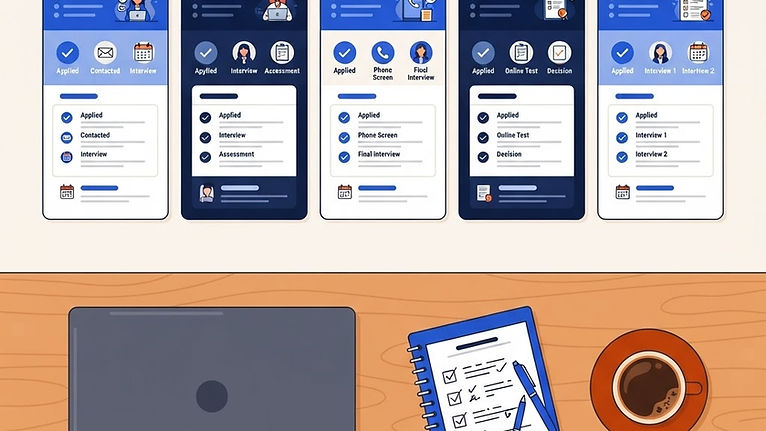
If you are weighing Teal vs Huntr, or Simplify against Jobright, you are comparing tools built for the first half of the search: finding roles, filling in forms, sending applications. Some of them are very good at it. Then the interview invitation arrives, and you are on your own.
That is the gap MyRoleMap closes. It tracks your search the way the others do, free and without limits. Then it does the part none of them do: it researches the company for you, tells you who you are meeting, and makes sure you walk in prepared.
This is our product, so we are not neutral. But every statement below about another tool comes from that company's own feature pages, checked on 2 November 2026 and linked at the end.
Where the other tools stop
Teal, Huntr and Careerflow are job trackers at heart. They save jobs from job boards, keep a board of applications, store contacts and highlight keywords for your resume. Simplify and Jobright are built around applying: autofill, auto-apply and job matching. Jobscan is built around scanning your resume against a posting.
None of their feature pages describe any of these:
- A research brief for each job: the company, its competitors, its finances, its leadership, recent news and how your resume fits.
- A plan for your first 30, 60 and 90 days in the role, written for that job.
- An interview day card that tells you who you are meeting and what to ask.
- An alert the evening before and one hour before each interview.
- A private calendar feed that puts every interview on the calendar you already use.
Careerflow and Jobscan offer practice interviews with an AI, and Jobright's chat assistant can answer questions about a company. Practice is useful. But a practice question does not tell you the company's revenue, who it competes with, what its CFO said last quarter, or the names of the people on your panel. That is research, and MyRoleMap does it for you.
Teal's own job tracker page sums up what a tracker does: track the status of each job, add notes, and never miss a follow-up. That is where tracking ends. It is where MyRoleMap starts.
The problems a tracker alone does not fix
You have a board full of applications and no idea what to say in the interview. A tracker tells you where you applied. It does not tell you what the company does, who it is up against, or why you are a fit. In MyRoleMap, paste the job posting and you get a PDF interview brief for that role: a company snapshot, its competitors and how they differ, how your resume fits and where the gaps are, what the posting really asks for, talking points, smart questions to ask, a 60-second summary and a 30/60/90-day plan.
Research takes hours per company, so most people skip it. Or they do it at eleven the night before, in twelve browser tabs. The brief takes one click and prints as a single PDF you can read on the train. No other tool on this list builds one.
You do not know who you are meeting. The brief has a "Who you're meeting" section with each interviewer's name and role, and the interview day card puts the people, the time and your questions on one page for the morning of the interview. None of the other tools describe anything like it.
Interviews live in your head, your inbox and three calendars. MyRoleMap sends a push alert the evening before and another one hour before each interview, and a private calendar feed puts every interview on the calendar you already use, with add-to-calendar links for each one. Teal, Huntr, Careerflow, Simplify, Jobright and Jobscan mention none of these on their feature pages.
Auto-apply gets you volume, not readiness. If you use Simplify or Jobright to send two hundred applications, every interview that comes back still needs research. Paste the posting into MyRoleMap and the research is done. The two kinds of tool work together, and MyRoleMap is the one you open when the interview is real.
Following up is awkward, so it does not happen. Six email templates need no AI and use no allowance: a thank-you after an interview, a follow-up after applying, a follow-up after silence, accepting an offer, declining an offer politely, and rescheduling an interview. The name, company, role and dates fill in from your records. Add in-app reminders and an optional weekly summary, and nothing slips.
You are starting without a resume, or with one that does not match the posting. Build a resume step by step, or paste the text you already have, and get a clean Word file and a PDF. An ATS check scores your resume out of 100 against the posting and lists the phrases you are missing. Paid plans add a tailored resume and cover letter for each job.
What is in a brief
The home page shows a full sample brief for a made-up company so you can judge it before you sign up. A real brief covers:
- Company snapshot: size, what it sells, how it makes money, and recent financials and funding.
- Five competitors and how the company differs from each.
- Leadership, recent news from the last 60 days, culture and employee sentiment, and analyst views.
- A line-by-line match between your resume and the posting, with the gaps to address.
- What the posting really asks for, in plain words.
- Talking points, smart questions to ask, and a 60-second summary you can say out loud.
- Who you are meeting, and a plan for your first 30, 60 and 90 days.
Briefs are built from public information, so double-check anything important. Every section has a "Report an error" link. When you report one, we fix the rule that produced it, so the next brief is better for everyone.
MyRoleMap also prepares you for the people, not just the company. Its Who you'll meet feature builds a short profile of each interviewer from public professional pages, anything you paste, and a LinkedIn profile PDF you save yourself (it never reads LinkedIn). Each profile lists what the person likely cares about, three questions to ask them, and which of your stories to lead with, with every line marked as a sourced fact or a guess. The free plan includes 1 profile per scheduled interview, up to 3 in total; paid plans include up to 15 a day.
Bring your search with you
Switching is not starting over. The spreadsheet import has presets for Teal, Huntr and Simplify CSV exports, so your applications and contacts come across in one step. The Chrome extension saves a job from LinkedIn, Indeed or any careers site in one click, even when a pasted link is blocked. And if you ever want to leave, you can export everything in one click.
Free to start
Tracking is free, with no limit on applications, contacts, interviews, tasks or offers, and no time limit. Your first interview brief is free too. You can earn two more, and you get another for every friend you refer who signs up and adds a job. Paid plans add up to 10 briefs a day, tailored resumes and cover letters, push alerts, the calendar feed, the interview day card and the Chrome extension. Cancel any time in Settings. Details are on the pricing page.
Which tool, then?
If your problem is finding roles or filling in forms, Simplify and Jobright are built for that, and you can keep using them. If your problem is what happens after you apply, you need something none of the trackers offer: research, preparation and a reminder that arrives before the interview, not after.
If your search is already producing interviews, preparation is what moves the needle now. That is the job MyRoleMap does, and the others do not.
FAQ
Does MyRoleMap replace Teal, Huntr or Careerflow? For tracking, yes. It tracks applications, contacts, interviews, tasks, documents and offers, free and without limit, and it adds the brief, the interview day card, alerts and the calendar feed, which none of those trackers describe.
Can I use MyRoleMap with Simplify or Jobright? Yes. Use them to find and apply. Paste each posting that turns into an interview into MyRoleMap, and the research is done.
Does MyRoleMap apply to jobs for me? No. It prepares you for the interviews your applications earn.
How accurate is the brief? It is built from public information and says so on every page. Double-check anything you plan to say out loud, and use "Report an error" if something is wrong. We check every report.
Can I move my data from another tracker? Yes. The import has presets for Teal, Huntr and Simplify CSV exports.
Sources
Feature pages checked 2 November 2026: